MetaTrader 5
How to export MetaTrader 5 trade history to CSV
Updated 31 July 2026
MetaTrader 5 will not hand you a CSV of your trades. The History tab exports an HTML statement, which spreadsheets open badly and journals mostly cannot read. There are two reliable routes to an actual CSV, and one of them is much better than the other.
Option 1: the built-in report, re-saved
- 1.Open the Toolbox with Ctrl+T and select the History tab.
- 2.Set the period right-click and choose Custom Period for a specific range.
- 3.Right-click anywhere in the history and choose Report, then XLSX (or HTML on older builds).
- 4.Open the saved file in Excel, LibreOffice or Google Sheets.
- 5.Delete the account-summary rows above the table so the column headers are the first row.
- 6.Save As → CSV.
That header-row step is the one people skip. MT5's report puts account details, balances and a title block above the actual table, and any importer reading the file will treat the first line it finds as the column names. Trim everything above the real header.
Option 2: an export script (better)
MQL5's community publishes free scripts that write closed positions straight to a delimited file no HTML, no manual trimming. Search the MQL5 code base for a closed-positions export script, drop the .mq5 file into MQL5/Scripts inside your terminal's data folder, refresh the Navigator, and run it.
These scripts typically write one row per closed position with both legs on the same line, which is exactly the shape a journal wants. Most emit tab-separated data despite naming the file .csv that is fine, the delimiter is detected automatically.
Positions or deals it matters
MT5 records two different things and exports can contain either. Positions are complete round trips: one row with an open price and a close price. Deals are individual executions, so a single trade appears as two or more rows that have to be matched back together.
Both import. A positions file is read directly; a deals file is reconstructed into round-trip trades, scale-ins and scale-outs included. You do not have to pick the format is detected but knowing which you exported explains why the trade count may not equal the row count.
Column names that break imports
Different export scripts spell the same field differently. These are all understood:
Open Time      /  Open Date/Time  /  Time
Close Time     /  Close Date/Time
Open Price     /  Price
Close Price
Volume         /  Size  /  Lots
If your file uses something else entirely, map the columns by hand once point our field at your column and save the mapping. The next export from the same script imports in one click.
Import it
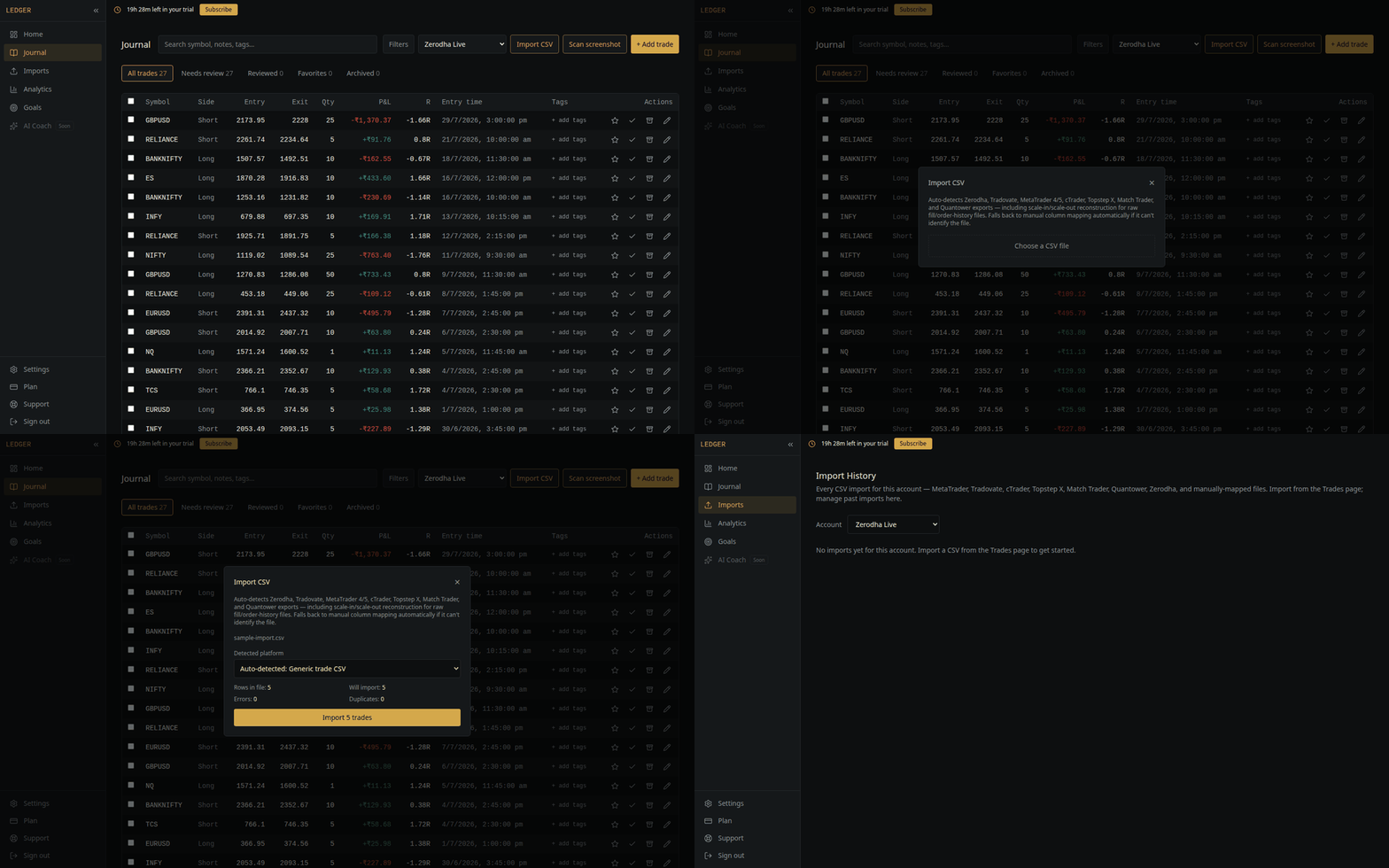
- 1.Open Journal and pick the account these trades belong to.
- 2.Click Import CSV and choose the file.
- 3.Confirm the detected format reads MetaTrader 5, and check the trade count in the preview.
- 4.Confirm.
Things that catch people out
- ·Balance, credit and correction rows deposits and withdrawals appear in MT5 history but are not trades. They are skipped automatically rather than imported as zero-price positions.
- ·Broker suffixes AUDUSD.pro and AUDUSD are different symbols to us, because they are different instruments at your broker. Keep them as they come.
- ·Still-open positions a trade with no close leg imports without an exit and fills in when you export again after closing it.
- ·Re-importing an overlapping range duplicates are detected and skipped, so it will not double-count.